

Your phone has become one of the most useful tools you carry on a trail. Done right, a good hiking app means you spend less time second-guessing junctions and more time looking at the view. Done wrong, it means a dead battery on a remote ridge with no idea where the path went.
I've spent time with all four of the apps worth talking about. Here's an honest look at what each one is actually good for, where it falls short, and how to pick the right tool for where you're headed.
AllTrails: The Starting Point for Most Hikers
AllTrails has 60 million registered users and a database of over 500,000 trails. Those numbers tell you something useful: whatever trail you're planning, there's a reasonable chance someone has already walked it and left a review.
That community layer is genuinely AllTrails' strongest feature. Recent photos from other hikers show you current conditions, actual trail surface, and how bad the mud is after rain. Route reviews catch errors in official trail descriptions. For popular trails in national parks across the US, Australia, and New Zealand, it's hard to beat.
The weaknesses are real though. Coverage thins out significantly once you move away from established parks and popular routes. The mapping quality varies depending on how much community data exists for a given area. And while the offline download function works, you need a paid subscription to access it, which is fair enough given what the platform offers.
Best for: National parks, popular trails, first-time hikers, anywhere with strong community coverage.
Komoot: The One Europeans Actually Use
Komoot sits at 40 million users as of mid-2024, up from 3 million in 2017. That tenfold growth reflects something real: it's genuinely excellent, particularly across Germany, Austria, Switzerland, the UK, and the Nordic countries.

Where Komoot stands out is route planning. You can drop start and end points, set your activity type (hiking, trail running, mountain biking), and it will generate a route with accurate elevation data and surface type information. The turn-by-turn navigation is better than AllTrails for complex routes that involve multiple track junctions.
Offline maps are available region by region, purchased once. For regular hikers in a specific area, this is a better deal than a recurring subscription. The interface is clean and the community highlights function, which flags points of interest and photos at specific waypoints, adds context without clutter.
For North American trails, Komoot's coverage drops off. It's a European-first product and that shows in the data density outside its home markets.
Best for: European hiking, route planning, trail running, multi-day routes where navigation complexity is higher.
Gaia GPS: What Backcountry Hikers Actually Use
Gaia GPS does one thing that the others don't do as well: it gives you access to USGS topographic maps, Forest Service maps, satellite imagery, and avalanche forecasts in a single app. If you're going off-trail or into genuinely remote terrain, this is the tool.
The map layering system is the key feature. You can overlay satellite imagery on top of a topo map, switch to a trail layer, and cross-reference multiple sources at the same junction. For backcountry navigation where the trail disappears into scree or a cross-country route crosses multiple terrain types, that flexibility matters.
Gaia is more technical than the others. The interface asks more of the user. That's not a flaw, it's just the trade-off for the depth of mapping data available. Plan to spend time learning it before you actually need it in the field.
The subscription cost is higher than AllTrails, and the community layer is minimal compared to either AllTrails or Komoot. You're paying for the mapping data, not the social features.
Best for: Backcountry hiking, off-trail navigation, any route where you need USGS topo data or multiple map sources.
OS Maps: The UK Standard
If you're hiking in the UK, Ordnance Survey maps are the most detailed topographic data available for that terrain. The OS Maps app puts that data on your phone with offline capability, route recording, and planning tools.
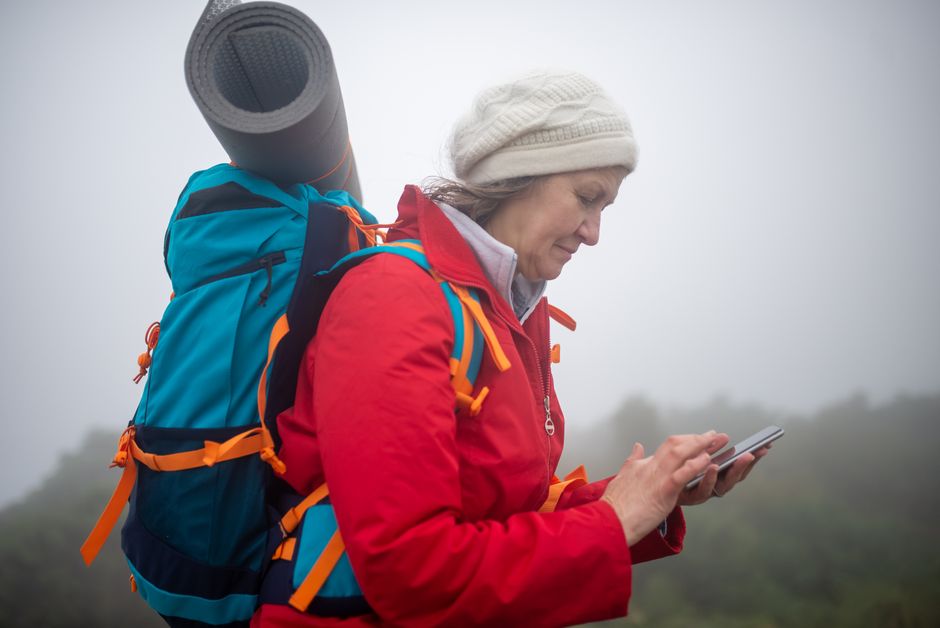
Photo by Kampus Production via Pexels
OS has been mapping Britain for over 200 years. The detail level at 1:25,000 scale is exceptional, showing field boundaries, individual buildings, rights of way, and terrain features that other mapping sources miss. For Scotland, Wales, and England, it's the most accurate navigation tool available.
Outside the UK, it's essentially useless. It's a single-market product and makes no attempt to be anything else. If you walk in multiple countries, you'll need a different app for everything except Britain.
Best for: Any hiking in England, Scotland, or Wales. There is no better option for UK trails.
One Rule That Applies to All of Them: Download Before You Go
Every app on this list has offline capability. Use it. Mobile coverage on trails is unreliable in most places that are actually worth hiking. If you're relying on a live data connection to navigate, you're one dead zone away from a problem.
Download the relevant region or route the night before, check the download completed, and check your battery level. Airplane mode or a low-power mode during the walk extends battery significantly if you're on a long day out.
Apps Are One Tool, Not the Only Tool
This is worth saying clearly. Apps are excellent for planning and helpful for navigation checks. They are not a replacement for basic navigation skills.

Photo by Maël BALLAND via Pexels
A dead battery, a waterlogged phone, or a software bug can take your digital navigation away at any time. Knowing how to read a paper map and use a compass takes an afternoon to learn and stays with you permanently. On any serious route, carry a printed or laminated map of the area. It weighs almost nothing and it doesn't need charging.
The 84% of trail users who discover destinations via the internet and social media often arrive at trailheads with a great app and no backup plan. Don't be in that group.
What to Wear: Practical Gear for the Trail
Navigation sorted, the other thing that affects your comfort on trail is what you're wearing. Specifically, the base layer.
A good trail tee does three things: it breathes, it moves with you, and it holds up across long days. The Simple T-shirt is exactly that, cut for movement with fabric that doesn't cling when you're warm. For something with a bit more character on the trail, the Embrace The Mountain Call Tee is a favourite. Both are part of the broader trail tee range if you're looking for options.
For sun protection on exposed ridgelines, a good hat is worth its weight. The Organic Trailblazer Dad Hat is made from organic materials and sits well under a hood. The full hat range has options depending on your preference for brim width and fit. If you're putting together a full kit, the Origin Collection is worth a look as a starting point.
Frequently Asked Questions
Which hiking app is best for beginners?
AllTrails. The community reviews, photos, and difficulty ratings make it easy to find routes that match your fitness level. The interface is straightforward and trail coverage in popular areas is strong.
Do hiking apps work without mobile signal?
Yes, if you download the maps in advance. All four apps covered here have offline capability. Download before you leave home, not when you're already in the mountains.
Is Komoot better than AllTrails?
Depends on where you're hiking. In Europe, Komoot's mapping data and route planning tools are generally stronger. In North America or New Zealand, AllTrails' community data and coverage is more useful. For most people, the answer is to use both.
What's the best app for off-trail hiking?
Gaia GPS. The USGS topo maps and multi-layer map system give you the data depth needed for navigation away from marked trails.
Do I need a paid subscription?
For offline maps, yes on most platforms. AllTrails Plus and Gaia GPS both require subscriptions for full offline access. Komoot sells regional map packs as one-time purchases, which can be better value if you walk primarily in one area. OS Maps requires a subscription for UK coverage.
Should I still carry a paper map?
On any serious or remote route, yes. Phones fail. Apps crash. Batteries run out. A printed topo map costs almost nothing and adds a genuine safety margin on routes where navigation matters.


